
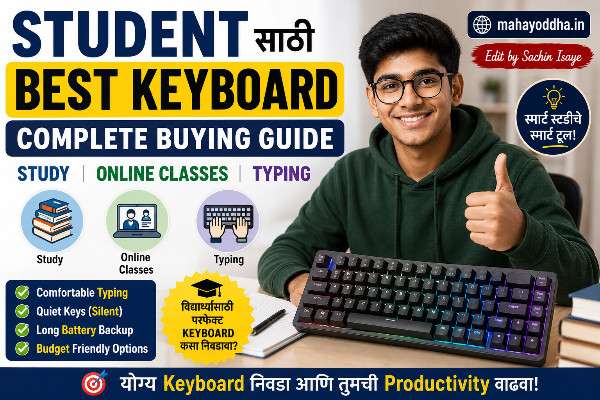
Best Keyboard for Students . Student साठी Keyboard घेताना एक गोष्ट आधी Clear करायला हवी
College मध्ये असताना keyboard बद्दल कधी seriously विचार केला नव्हता.
Laptop होता, built-in keyboard होता, काम होत होतं. External keyboard घ्यायची गरज वाटली नव्हती.
मग एक semester मध्ये notes heavy झाले. Online classes सुरू झाल्या. Assignments deadline pressure आला. Built-in keyboard वर तासभर typing केल्यावर wrists uncomfortable वाटायच्या. मान खाली झुकलेली असायची.
तेव्हा external keyboard serious option म्हणून consider केला.
Student साठी keyboard decision complicated असतं — budget tight असतो, hostel मध्ये roommate असतो, अभ्यास आणि gaming दोन्ही होतं, travel होतं. एकाच keyboard ने सगळ्या needs address व्हाव्यात.
आज Mahayoddha.in वर student specific guide लिहितो — use cases नुसार honest recommendations.
Student ला Keyboard मध्ये काय काय लागतं — Priority List
Budget — सगळ्यात Important
Student budget tight असतो. Pocket money किंवा parents कडून घेतलेले पैसे. ₹१,५०० ते ₩३,५०० realistic range आहे बहुतेक students साठी. ₹५,०++ + premium range आहे — justify करायला specific reasons लागतात.
Quiet Typing — Hostel आणि Library साठी
Hostel मध्ये roommates असतात. रात्री study करताना Blue switch keyboard — neighbors disturb होतात. Library मध्ये loud keyboard — embarrassing.
Quiet typing option important आहे student साठी.
Durability
Students keyboards drop करतात, bag मध्ये ठेवतात, occasionally spill होतो. Fragile keyboards expensive पडतात long term मध्ये.
Online Classes आणि Note-Taking
Zoom, Google Meet, Teams — video calls frequent असतात. Keyboard sound mic pick up करतो. Silent keyboard professionally better असतो calls मध्ये.
Note-taking — accuracy आणि speed important. Touch typing benefit होतो.
Portability
Library, cafe, friend च्या घरी — keyboard portable असेल तर convenient असतो. Compact keyboards travel friendly आहेत.
Use Case नुसार Recommendations
Use Case एक — Hostel मध्ये राहतो, Budget ₹१,५०० ते ₩२,५००
रात्री study करतो, roommate झोपलेला असतो. Silent keyboard mandatory.
Cosmic Byte CB-GK-34 Firefly (Red Switch) — ₹१,७०० ते ₩१,९००
Red switch — quieter than Blue. Mechanical typing feel येतो. RGB आहे — रात्री ambient light म्हणून useful. TKL layout — compact, desk वर जागा वाचते.
Blue switch version पण available आहे — पण hostel साठी specifically Red recommend करतो.
Mahayoddha.in वर multiple times mention झाला आहे. Beginner साठी safe first mechanical keyboard.
Logitech K120 — ₹८५० ते ₩९५०
Membrane keyboard. Ultra quiet. Library आणि hostel दोन्हींसाठी excellent. Logitech reliability — years टिकतो. Heavy typing साठी adequate.
Budget absolutely tight असेल — ₹१,०++ पेक्षा कमी — Logitech K120 best value आहे.
Use Case दोन — Home मध्ये राहतो, Study आणि Gaming दोन्ही, Budget ₹२,५०० ते ₩३,५००
Home environment मध्ये sound concern कमी आहे. Gaming आणि study — balanced keyboard हवा.
Redragon K617 Fizz — ₹२,३०० ते ₩२,७००
60% layout — compact, mouse साठी जागा मिळते. Hot-swappable — switches बदलता येतात future मध्ये. Red switches — gaming आणि typing दोन्हींसाठी adequate. Gaming PC setup साठी excellent.
Mahayoddha.in वर consistently recommend केला आहे. Hot-swap feature student साठी value आहे — preference बदलली तर keyboard replace नाही करायला.
Royal Kludge RK71 — ₹४,२०० ते ₩५,०++
75% layout — arrow keys आहेत (study साठी useful), function row आहे. Wireless — cable management नाही. Hot-swap. PBT keycaps included. Budget थोडा जास्त आहे पण long term investment म्हणून worth आहे.
Use Case तीन — Online Classes जास्त, Notes जास्त, Gaming कमी, Budget ₹१,५०० ते ₩३,०++
Typing accuracy आणि comfort priority. Video calls frequent.
Keychron C1 Hot-Swap — ₹३,५++ ते ₩४,०++
TKL layout. Hot-swap. Gateron Red switches — quiet, smooth. PBT doubleshot keycaps. Excellent build quality. Notes typing साठी comfortable. Video calls मध्ये sound pickup कमी — Red switches quiet आहेत.
Budget थोडा stretch करावा लागतो पण value excellent आहे.
Ant Esports MK1000 — ₹१,८०० ते ₩२,१++
Full size — numpad आहे. Students ज्यांना numbers जास्त type करावे लागतात — engineering, commerce — numpad useful आहे. Blue switches — loud, पण home मध्ये alone असाल तर satisfying typing feel.
Use Case चार — Travel जास्त, Library Study, Budget ₹२,०++ ते ₩३,५++
Portable keyboard हवा. Bag मध्ये easily carry व्हावा. Library मध्ये silent.
Portronics Chicklet Plus — ₹१,५++ ते ₩१,८++
Slim, lightweight membrane keyboard. Bluetooth. Ultra portable. Silent typing. Multi-device — phone आणि laptop दोन्हींना. Library साठी ideal.
Keychron K3 V2 (Brown Switch) — ₹५,++ ते ₩५,८++
75% compact layout. Low profile switches. Bluetooth. Lightweight. Brown switch — quiet compared to Blue, tactile feedback आहे. Premium portable option.
Budget जास्त आहे — पण portable mechanical keyboard मध्ये best option आहे.
Use Case पाच — Marathi/Hindi Typing जास्त, Content Writing, Budget ₹२,०++ ते ₩३,५++
Phonetic typing — keyboard same English QWERTY, software different. Switch preference — tactile feedback accuracy help करतो.
Cosmic Byte CB-GK-34 Firefly (Brown Switch) — ₹१,७++ ते ₩१,९++
Brown switch — tactile bump. Accuracy better होते. Marathi phonetic typing साठी feedback useful. Quiet enough for shared spaces.
Mahayoddha.in वर Marathi Typing article आहे — software setup explain केला आहे.
Silent Keyboard Options — Hostel आणि Library साठी Specifically
Silent typing साठी options tier नुसार:
Budget tier (₹८०० ते ₩१,५++):
Logitech K120 — membrane, ultra quiet. HP K1000 — reliable membrane. Amazon Basics keyboard — basic but silent.
Mid range (₹१,५++ ते ₩२,५++):
Cosmic Byte Firefly Red Switch — quieter mechanical. Ant Esports MK1000 Brown — medium sound.
Premium (₹३,++ ते ₩५,++):
Silent mechanical switches — Cherry MX Silent Red, Gateron Silent. Specific models — Keychron keyboards Silent Switch options available आहेत.
Mahayoddha.in वर Silent Switches बद्दल detailed article आहे — specifically silent mechanical options explain केल्या आहेत.
Keyboard आणि Online Classes — Practical Tips
Video calls मध्ये keyboard sound reduce करण्यासाठी:
Microphone keyboard पासून दूर ठेवा — laptop mic keyboard जवळ असतो. External mic वापरा — noise cancellation असेल तर better. Mute करा जेव्हा type करत आहात — particularly Blue switch असेल तर.
Red किंवा Silent switch keyboards video calls मध्ये most appropriate आहेत.
Durability — कोणते Keyboards Rough Use Handle करतात
Students keyboards rough handle करतात — honest आहे हे.
Membrane keyboards durability:
Logitech K120 — spill resistant. Years टिकतो. Simple, no RGB, less to go wrong. Best durability in budget.
TVS Gold Pro — Heavy duty build. Indian offices मध्ये वर्षानुवर्षे टिकतो. Loud पण indestructible.
Mechanical keyboard durability:
Switches — 50 million keystroke rated. Keys — PBT keycaps shine resistant. Body — metal plate असेल तर better.
Redragon, Cosmic Byte — plastic body. Drops handle करतात reasonably. Premium brands (Keychron) — better build, more resistant to rough use.
Student Budget Allocation Guide
| Monthly Pocket Money | Recommended Range | Best Option |
|---|---|---|
| ₹३,०++ ते ₩५,++ | ₹८०० ते ₩१,२++ | Logitech K120 |
| ₹५,++ ते ₩८,++ | ₹१,५++ ते ₩२,++ | Cosmic Byte Firefly |
| ₹८,++ ते ₩१२,++ | ₹२,++ ते ₩२,८++ | Redragon K617 |
| ₹१२,++ ते ₩२०,++ | ₹३,++ ते ₩४,++ | Royal Kludge RK71 |
| ₹२०,++ + | ₹४,++ ते ₩५,++ | Keychron K2 |
FAQ
Q. Laptop keyboard आहे — external keyboard खरंच लागतो का student ला?
Laptop keyboard adequate आहे basic use साठी. External keyboard benefit — ergonomics (laptop stand + external keyboard = neck strain कमी), better typing feel, longer sessions comfortable. Mahayoddha.in च्या Neck Pain article मध्ये explain आहे. Budget allow करत असेल तर — external keyboard + laptop stand combination genuinely better आहे long term health साठी.
Q. Wireless keyboard exam hall मध्ये allowed असतो का?
Exam hall policies vary करतात. Generally — Bluetooth devices restricted असतात competitive exams मध्ये. Wired keyboard safer option आहे exam hall साठी. Online exams घरून असतील तर wireless fine आहे.
Q. Gaming keyboard study साठी पण चांगला असतो का?
Gaming keyboard म्हणजे mechanical keyboard असतो generally. Typing साठी mechanical keyboards actually better आहेत — tactile feedback, accurate typing. Gaming keyboard study साठी perfectly adequate आहे. Concern एकाच — gaming keyboards often loud (Blue switch) — hostel मध्ये problem. Red किंवा Brown switch gaming keyboard घ्या.
Q. ₹१,५०० मध्ये wireless mechanical keyboard मिळतो का?
Reliable wireless mechanical ₹१,५०० मध्ये नाही मिळत. ₹१,५++ मध्ये wired mechanical किंवा wireless membrane choose करावं लागतं. Both good options आहेत — different priorities साठी. Wireless mechanical ₹२,५++ + range पासून reliable होतो.
Q. Engineering student आहे — Programming साठी specific keyboard हवा का?
Programming साठी specific keyboard नाही लागत. Any comfortable mechanical keyboard programming साठी adequate आहे. Preferences — some programmers tactile feedback (Brown switch) prefer करतात. Special characters frequent असतात coding मध्ये — full size keyboard numpad असेल तर convenient. Mahayoddha.in वर Coding Keyboard article आहे — detail मध्ये वाचा.
Conclusion
Student साठी perfect keyboard एक नाही — situation नुसार best option वेगळा असतो.
Hostel, budget ₹१,५++ — Cosmic Byte Firefly Red Switch. Home, gaming + study — Redragon K617. Travel frequent — Portronics Chicklet Plus. Long term investment — Keychron K2.
Mahayoddha.in वर नेहमी practical advice देतो — budget overspend करू नका, पण ₹२०० ते ₩३०० stretch करणं better keyboard साठी worth असेल तर करा.
तुम्ही student आहात? Hostel मध्ये आहात की home? Primary use काय आहे — study, gaming, दोन्ही? Comment मध्ये सांगा — specific recommendation करता येईल.

Sachin Isaye
सचिन इसाये
नमस्कार! मी सचिन इसाये, Founder of Mahayoddha.in. २०१७ पासूनच्या माझ्या Blogging आणि Digital Content क्षेत्रातील अनुभवाचा वापर करून, मी Keyboard, Typing Speed, Windows Shortcuts आणि Digital Skills यांसारख्या विषयांवर सोप्या मराठीत practical माहिती देण्याचा प्रयत्न करतो.
Keyboard Buying Guide, Mechanical Keyboard, Wireless Keyboard, Keyboard Problems, Keyboard Typing Skills आणि Keyboard Ergonomics यांसारखे विषय सामान्य मराठी वाचकांना सहज समजावून सांगणे, हेच माझे काम आहे.
विद्यार्थी, Bloggers, Content Writers, Office Users, Work From Home करणारे आणि नवीन computer users यांना keyboard वापरून आपलं काम जलद, सोपं आणि smart करता यावं, हेच माझं ध्येय आहे. नवीन Keyboard Guides, Typing Tips आणि Windows Shortcuts साठी Mahayoddha.in ला नियमित भेट द्या.