
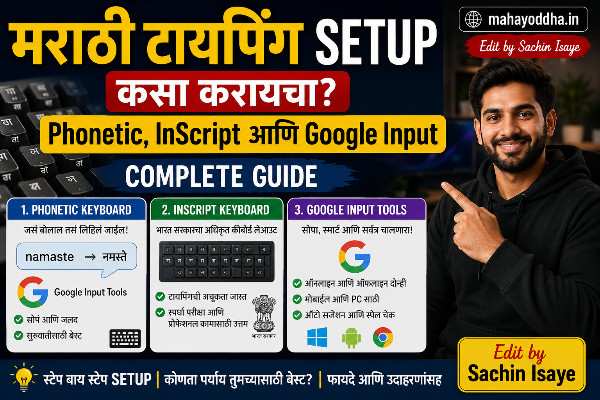
मराठी टायपिंग Setup कसा करायचा — Phonetic, Inscript, आणि Google Input — Complete Guide
दोन वर्षांपूर्वी Mahayoddha.in सुरू केला तेव्हा एक practical problem होती.
Articles मराठीत लिहायचे होते — पण keyboard English आहे. Marathi letters कसे type करायचे? Phone वर type करून copy-paste करणं impractical होतं. Long articles साठी definitely नाही.
Research केलं. तीन methods मिळाल्या — Phonetic, Inscript, आणि Google Input Tools. तिन्ही try केल्या. आज Mahayoddha.in वर हे properly explain करतो — कोणती method कोणासाठी, setup कसं करायचं, आणि practically काय काम करतं.
Marathi Typing Methods — Overview
मराठी type करायला तीन main approaches आहेत.
Phonetic Method — English letters दाबा, Marathi येतो. “A” दाबलं की “अ” येतो. “Ka” दाबलं की “क” येतो. English keyboard माहीत असेल तर learning curve minimal आहे.
Inscript Method — Government standardized layout. Devanagari letters directly keyboard वर mapped आहेत. Different key positions शिकाव्या लागतात. Professional typing exams साठी.
Google Input Tools / Online Methods — Browser extension किंवा online tools. Setup minimal. पण internet dependent.
Method एक — Phonetic Typing (सगळ्यात Popular)
का Popular आहे
English keyboard वापरतो — same keyboard वर Marathi type होतं. Logic intuitive आहे — जसं बोलतो तसं type करा.
“नमस्कार” type करायला — “namaskar” type करा. Software automatically Devanagari मध्ये convert करतो.
Google Input Tools — Chrome Extension
Setup:
Chrome browser उघडा. “Google Input Tools extension” search करा. Install करा.
Extension icon वर click करा. “Add Input Tools” — Marathi select करा. “Marathi Transliteration” — phonetic method. Add करा.
Extension bar मध्ये “मs” icon दिसेल. Click करा — Marathi input active होतो. पुन्हा click — English.
Keyboard shortcut — Ctrl + Shift + K — languages switch करतो. Daily use मध्ये fast आहे.
How typing works:
Text field मध्ये click करा. Extension active करा. Type करा — “namaskar” — candidate words दिसतील dropdown मध्ये. “नमस्कार” select करा, Space दाबा — confirm होतो.
Multiple candidates येतात — correct word select करा. पहिलाच correct असेल बऱ्याच वेळा. Space दाबला की automatically confirm.
Mahayoddha.in वर WordPress editor मध्ये exactly हेच वापरतो — articles लिहिताना smooth experience आहे.
Varnamala आणि Phonetic Logic
Phonetic typing साठी mapping समजलं तर accuracy improve होतो.
Vowels (स्वर)
a → अ, aa → आ, i → इ, ii → ई, u → उ, uu → ऊ, e → ए, ai → ऐ, o → ओ, au → औ, am → अं, aha → अः
Common Consonants
k → क, kh → ख, g → ग, gh → घ, ch → च, chh → छ, j → ज, jh → झ, t → त, th → थ, d → द, dh → ध, n → न, p → प, ph → फ, b → ब, bh → भ, m → म, y → य, r → र, l → ल, v → व, sh → श, s → स, h → ह, L → ळ
Special Characters
Retroflexes (ट, ठ, ड, ढ, ण) — capital letters वापरतात phonetic मध्ये:
T → ट, Th → ठ, D → ड, Dh → ढ, N → ण
Anusvara आणि Visarga
M → ं (anusvara), H → ः (visarga)
Examples
“महाराष्ट्र” — maharashTra. “कीबोर्ड” — kiibord. “नमस्कार” — namaskar. “आज” — aaj. “टायपिंग” — TaaypiM.
Initially slow वाटतं. एक आठवड्यात common words automatic होतात.
Windows मध्ये Built-In Marathi Keyboard
Google extension नाही वापरायचं असेल तर Windows built-in method आहे.
Setup:
Settings → Time & Language → Language → Add a Language. “Marathi” search करा, add करा.
“Marathi” click करा → Options → Add a Keyboard.
दोन options येतात — “Marathi Phonetic” आणि “Marathi INSCRIPT.”
Phonetic select करा beginner साठी.
Switch करणं:
Taskbar मध्ये language indicator येतो — ENG, MAR switch. Keyboard shortcut — Windows + Spacebar — languages cycle करतो. Alt + Shift — quick switch.
Marathi Phonetic Windows keyboard:
Windows Marathi Phonetic layout Google Input पेक्षा slightly different rules follow करतो. Candidate word selection similar — Type, candidates appear, select.
Method दोन — Inscript (Government Standard)
कोणासाठी आहे
Government typing exams — Maharashtra state exams, central government — Inscript layout require करतात. Professional Marathi typists Inscript वापरतात.
Layout Logic
Inscript मध्ये Devanagari letters directly keyboard वर mapped आहेत. Physical key positions completely different असतात English पेक्षा.
Vowels — ‘A’ key वर स्वर असतात. Left hand — vowels. Right hand — consonants predominantly.
Example mapping (common keys):
D → ा (aa matra), F → ि (i matra), J → व, K → म, L → स, ; → ् (halant)
Matras — Important
Inscript मध्ये base consonant type करा, नंतर matra type करा.
“का” — क + ा → k key + D key.
“कि” — क + ि → k key + F key.
Learning Curve
Inscript शिकायला वेळ लागतो — Phonetic पेक्षा significantly जास्त. Dedicated practice लागते. Typing speed initially very slow.
पण professional speed साठी — data entry jobs, government positions — Inscript essential आहे. Speed Phonetic पेक्षा जास्त येऊ शकते expert level मध्ये.
Practice Resources
Typedrills.com — Inscript practice. Marathityping.com — dedicated Marathi typing practice. TypingBaba — Inscript lessons.
Method तीन — Google Docs Voice Typing
Articles साठी alternative method — voice typing मग edit करणं.
Google Docs → Tools → Voice Typing. Language Marathi select करा. Microphone icon click करा. मराठीत बोला — automatically type होतं.
Practical reality:
Accuracy depends on pronunciation, microphone quality, ambient noise. Editing still required. Fast drafting साठी useful — editing phase separate.
Mahayoddha.in articles साठी personally use करत नाही — accuracy editing time जास्त लागतो. पण experimentation करण्यासारखं आहे.
Marathi Typing Speed Improve करण्याचे Tips
Common Words Practice
रोज वापरल्या जाणाऱ्या शब्दांची list बनवा. “आणि”, “आहे”, “केला”, “होता”, “असतो” — हे automatically memory मध्ये जातात. Common words automatic झाले की speed dramatically वाढते.
Mahayoddha.in वर लिहिताना observe केलं — “Mahayoddha.in” आणि “keyboard” मराठीत repeatedly येतात — ते automatic झाले आहेत.
Candidate Selection Speed
Phonetic मध्ये candidates येतात — mouse ने select करणं slow आहे. Keyboard shortcuts शिका:
Space — first candidate confirm. Number keys (1, 2, 3) — specific candidate select. Tab — next candidate.
Mouse सोडा candidate selection साठी — speed double होतो.
English Words Marathi मध्ये
Technical words, English nouns — Marathi मध्ये common words म्हणून येतात. “Keyboard”, “mouse”, “laptop”, “internet” — Marathi text मध्ये English मध्येच लिहिणं acceptable आहे. Language switch करत बसण्यापेक्षा — English words English मध्येच type करा.
Google Input Tool — Ctrl + Shift + K ने quick switch. English word type करा, पुन्हा switch करा.
Smartphone वर Marathi Typing
Article Mahayoddha.in वर लिहिण्यासाठी laptop/desktop primary आहे. पण mobile awareness साठी:
Gboard — Google keyboard. Settings मध्ये Marathi add करा. Phonetic आणि Inscript दोन्ही options. Swipe typing Marathi मध्ये पण works — surprisingly accurate.
SwiftKey — Marathi support आहे. AI predictions Marathi साठी reasonable आहेत.
Apple iPhone — Settings → General → Keyboard → Add New Keyboard → Marathi. Phonetic available आहे.
WordPress मध्ये Marathi Typing — Blogger साठी
Mahayoddha.in WordPress वर आहे. WordPress editor मध्ये Marathi typing:
Google Input Tools extension activate करा. WordPress editor open करा — Block editor (Gutenberg) असेल तर block मध्ये click करा, text cursor येतो. Type करा — Marathi येतो.
Font consideration:
WordPress default fonts मध्ये Devanagari support variable असतो. Explicitly Devanagari font set करा theme settings मध्ये — “Noto Sans Devanagari” किंवा “Mukta” good web fonts आहेत. Google Fonts मध्ये available आहेत.
SEO साठी:
Marathi articles SEO साठी Unicode text use करा — properly rendered Devanagari. Image मधले text search engines read करत नाहीत. Plugin “Yoast SEO” Marathi meta descriptions support करतो.
Comparison — Method कोणती Choose करायची
| Factor | Phonetic | Inscript | Voice Typing |
|---|---|---|---|
| Learning Curve | Low | High | Low |
| Setup Complexity | Easy | Easy | Easy |
| Speed (Beginner) | Fast initially | Slow initially | Fast |
| Speed (Expert) | Good | Best | Variable |
| Internet Dependency | Optional | No | Yes (Google) |
| Exam Compatibility | Limited | Yes | No |
| Blogging/Writing | Excellent | Good | Draft only |
| Accuracy | High | High | Variable |
FAQ
Q. Phonetic Marathi typing साठी best tool कोणतं — Google Input की Windows built-in?
Google Input Tools Chrome extension — Word, Google Docs, online editors साठी excellent. Windows built-in — offline compatible, system-wide works. Daily blogging साठी Google Input Tools more reliable experience देतो — candidate window clean आहे. Offline writing साठी Windows built-in better.
Q. Inscript शिकायला किती वेळ लागतो?
Basic typing — दोन ते तीन आठवडे. Comfortable speed — एक ते दोन महिने. Professional exam-level speed — तीन ते सहा महिने dedicated practice. Learning curve steep आहे पण long-term payoff professional context मध्ये significant आहे.
Q. Marathi typing matra correctly येत नाहीत — का?
Phonetic मध्ये matra automatically येतात — consonant + vowel type करा. “का” साठी “kaa” type करा. “की” साठी “kii.” Common mistake — single “a” type केलं की “क” येतो, “का” नाही. Correct sequence — “k” + “aa” = “का.”
Q. Marathi numbers type कसे करायचे?
Standard Arabic numerals (1, 2, 3…) Marathi text मध्ये acceptable आहेत — widely used. Devanagari numerals (१, २, ३…) हवे असतील तर — phonetic मध्ये specific key combinations असतात. Typically standard Arabic numerals Marathi web content मध्ये prefer केले जातात.
Q. Marathi typing speed WPM मध्ये measure करता येते का?
येते. Marathi typing test sites आहेत — Marathityping.com वर timed tests आहेत. CPM (Characters Per Minute) Marathi साठी more appropriate metric आहे — Devanagari character average English character पेक्षा different complexity. Mahayoddha.in च्या WPM article मध्ये CPM बद्दल explain केलं आहे.
Conclusion
Mahayoddha.in सुरू केल्यापासून Marathi typing daily routine चा part आहे. Google Input Tools Phonetic method — setup सोपं, learning curve minimal, speed adequate.
Articles लिहिताना flow maintain होतो — switch करत बसणं नाही. Common words automatic झाले आहेत. “मराठी”, “कीबोर्ड”, “आणि”, “आहे” — without thinking type होतात.
Blogger, student, या content creator साठी — Phonetic method Google Input Tools ने setup करा. एक आठवड्यात comfortable होईल.
Government exams, professional typing साठी — Inscript invest करा — long term better आहे.
Marathi typing आधीच करता का? Phonetic वापरतात की Inscript? Candidate selection slow वाटतो का? Comment मध्ये सांगा.

Sachin Isaye
सचिन इसाये
नमस्कार! मी सचिन इसाये, Founder of Mahayoddha.in. २०१७ पासूनच्या माझ्या Blogging आणि Digital Content क्षेत्रातील अनुभवाचा वापर करून, मी Keyboard, Typing Speed, Windows Shortcuts आणि Digital Skills यांसारख्या विषयांवर सोप्या मराठीत practical माहिती देण्याचा प्रयत्न करतो.
Keyboard Buying Guide, Mechanical Keyboard, Wireless Keyboard, Keyboard Problems, Keyboard Typing Skills आणि Keyboard Ergonomics यांसारखे विषय सामान्य मराठी वाचकांना सहज समजावून सांगणे, हेच माझे काम आहे.
विद्यार्थी, Bloggers, Content Writers, Office Users, Work From Home करणारे आणि नवीन computer users यांना keyboard वापरून आपलं काम जलद, सोपं आणि smart करता यावं, हेच माझं ध्येय आहे. नवीन Keyboard Guides, Typing Tips आणि Windows Shortcuts साठी Mahayoddha.in ला नियमित भेट द्या.