
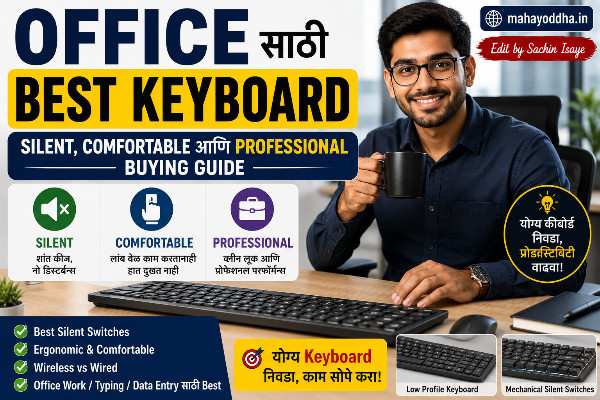
Office Keyboard घेताना एक Colleague ने चुकीचा Advice दिला — आणि त्यामुळे तीन महिने त्रास झाला
नवीन job मध्ये join केल्यावर स्वतःचा keyboard घ्यायचा होता. Best Keyboard for Office
एका colleague ने सांगितलं — “Gaming keyboard घे, mechanical असतो, fast typing होतो.” Blue switch mechanical keyboard घेतला. ₹१,८०० खर्च केले.
पहिल्या दिवशी office मध्ये लावला. Type करायला सुरुवात केली — “click-clack-click-clack.” Whole floor ने बघितलं. Manager ने बोलावलं — “Keyboard बदला, disturbing आहे.”
Embarrassing moment होता.
Office keyboard आणि gaming keyboard — same mechanical technology असली तरी context completely different आहे. Office मध्ये silent, professional, comfortable — हे priorities आहेत. Gaming मध्ये fast, RGB, loud — different priorities.
आज Mahayoddha.in वर office specific keyboard guide लिहितो — work from home, open office, आणि meetings या तिन्ही situations साठी.
Office Keyboard मध्ये काय काय Priority असावी
Silent Typing — Non-Negotiable
Open office मध्ये colleagues काम करत असतात. Loud keyboard — distraction, annoyance. Professional image बिघडतो.
Work from home मध्ये — video calls frequent असतात. Mic keyboard sound pick up करतो. Colleagues background noise म्हणून ऐकतात.
Silent typing office keyboard साठी सगळ्यात important feature आहे.
Comfortable Typing — Long Sessions साठी
Office मध्ये दिवसभर typing होते. Eight ते ten hours. Comfort — wrist health, finger fatigue — long term important आहे. Mahayoddha.in वर wrist pain, RSI, Carpal Tunnel बद्दल articles आहेत — comfortable keyboard prevent करतो.
Professional Look
RGB rainbow lights office मध्ये out of place दिसतात. Clean, minimal keyboard professional image maintain करतो.
Reliability आणि Durability
Office keyboard daily heavy use होतो. Years टिकणारा keyboard हवा.
Multi-Device Support
Work from home users — laptop, desktop, phone — multiple devices. Multi-device keyboard convenient असतो.
Situation एक — Open Office
Open office मध्ये सगळ्यात strict requirement — silent keyboard.
Budget Option — ₹८०० ते ₩१,५++
Logitech K120 — ₹८५० ते ₩९५०
India मध्ये सगळ्यात popular office keyboard. Membrane, ultra quiet. Spill resistant — office coffee accidents होतात. Logitech reliability — years टिकतो. Clean white/black design. Professional look.
Mahayoddha.in वर multiple times mention आहे. Safe, reliable, zero-risk choice.
HP K1000 Wired — ₹७०० ते ₩८५०
Basic membrane. Quiet. Reliable brand. Budget absolutely tight असेल तर.
Mid Range — ₹१,५++ ते ₩३,++
Logitech K380 — ₹२,३++ ते ₩२,७++
Bluetooth multi-device keyboard. Laptop, phone, tablet — तीन devices. Silent membrane typing. Compact, portable. Clean design. Popular among professionals.
Work from home + occasional office use साठी excellent.
Logitech MK470 Combo (Keyboard + Mouse) — ₹२,५++ ते ₩२,८++
Ultra slim wireless keyboard + mouse. Silent keys specifically designed. Clean desk aesthetic. Work from home साठी popular combo.
Premium Option — ₹३,++ ते ₩६,++
Logitech MX Keys — ₹८,++ ते ₩९,++
Professional keyboard flagship. Backlit keys — office late work करताना. Multi-device तीन पर्यंत. Comfortable key travel. Premium build quality. Quiet typing.
Premium budget असेल तर — MX Keys investment आहे, expense नाही.
Situation दोन — Work From Home
Work from home situation different आहे. Sound concern relative — home मध्ये alone असाल तर mechanical पण okay. Video calls frequent असतात — तेव्हा sound concern येतो.
Budget — ₹१,५++ ते ₩२,५++
Cosmic Byte CB-GK-34 Firefly (Red Switch) — ₹१,७++ ते ₩१,९++
Red switch mechanical. Quieter than Blue. Work from home साठी adequate. RGB बंद ठेवा professional look साठी. Video calls दरम्यान mute करण्याची habit ठेवा.
Gaming keyboard असला तरी work from home साठी practical choice आहे.
Portronics Hydra 10 — ₹२,७++ ते ₩३,++
Triple connectivity — Bluetooth, 2.4GHz, wired. Work laptop, personal phone — एकच keyboard. Mechanical switches. RGB — office hours मध्ये बंद. Mahayoddha.in वर wireless keyboard articles मध्ये mention आहे.
Mid Range — ₹२,५++ ते ₩४,++
Royal Kludge RK71 — ₹४,२++ ते ₩५,++
75% layout — arrow keys, function row. Wireless. Brown switch available — tactile feedback, relatively quiet. PBT keycaps. Long typing sessions comfortable. Work from home ideal.
Keychron C2 Hotswap — ₹४,++ ते ₩४,5++
Full size with numpad. Hot-swap. Gateron switches. PBT keycaps. Professional build. Data entry, spreadsheet heavy work साठी numpad useful.
Premium — ₹५,++ ते ₩१०,++
Logitech MX Keys Mini — ₹७,++ ते ₩७,8++
Compact version of MX Keys. Backlit. Multi-device. Silent. Premium feel. Minimal desk footprint. Creative professionals popular choice.
Keychron K2 (Brown Switch) — ₹५,++ ते ₩५,8++
75% layout. Brown switch — tactile, relatively quiet. Wireless. Mac + Windows. Long term investment. Mahayoddha.in च्या coding keyboard article मध्ये highly recommend आहे — writers आणि professionals साठी पण excellent.
Situation तीन — Frequent Video Calls आणि Meetings
Video calls मध्ये keyboard sound mic pick up करतो — colleagues disturb होतात.
Best Approaches
Silent Mechanical Switch Keyboards:
Cherry MX Silent Red, Gateron Silent switches — specifically designed for quiet operation. Sound ७०-८०% कमी होतो regular switches पेक्षा. Mahayoddha.in वर Silent Switches article आहे — detail मध्ये explain केलं आहे.
Software Solution:
NVIDIA RTX Voice, Krisp, Discord noise suppression — microphone background noise cancel करतो. Keyboard sound suppress होतो. Free options available आहेत. Keyboard expensive upgrade नाही लागत.
Membrane Keyboard:
Simplest solution. Membrane inherently quiet. Video calls साठी membrane adequate आहे.
Specific Recommendations Video Calls साठी
Logitech K380 — ₹२,३++ ते ₩२,7++
Silent membrane. Multi-device. Compact — video call setup neat दिसतो. Professional look.
Keychron K2 Silent Version — ₹५,5++ ते ₩६,++
Silent switches pre-installed. Mechanical feel + video call friendly sound. Best combination.
Ergonomic Options — Long Office Hours साठी
Daily eight plus hours typing करत असाल तर ergonomics investment आहे.
Logitech Ergo K860 — ₹१०,++ ते ₩१२,++
Split ergonomic design. Curved keyboard. Built-in wrist rest. Negative tilt. Wrist pain prevent करतो. Mahayoddha.in वर Ergonomic Keyboard article मध्ये detail आहे.
Heavy investment आहे — पण wrist pain, RSI prevent करणं doctor visits पेक्षा cheap आहे.
Microsoft Ergonomic Keyboard — ₹४,++ ते ₩५,++
Budget ergonomic option. Split design. Wrist rest included. Silent typing.
Office Keyboard साठी कोणता Switch/Type Choose करायचं
| Office Situation | Recommended Type | Sound Level |
|---|---|---|
| Open office, colleagues जवळ | Silent Membrane | Lowest |
| Private cabin | Silent Mechanical | Low |
| Work from home, no calls | Any Mechanical | Medium acceptable |
| Frequent video calls | Silent Mechanical / Membrane | Low |
| Long typing sessions | Tactile Mechanical (Brown) | Medium |
| Data entry heavy | Full size with Numpad | Any |
| Multi-device, mobile + laptop | Bluetooth Multi-device | Any |
Work From Home Setup — Complete Picture
Keyboard एकट्याने नाही — setup matter करतो.
Laptop stand — screen eye level ला. External keyboard — comfortable position मध्ये. Mahayoddha.in वर Monitor Stand आणि WFH Setup articles आहेत.
Keyboard + laptop stand combination — neck pain dramatically कमी होतो. Work from home professionals साठी most impactful upgrade.
Budget WFH Setup:
Laptop stand — ₹८०० ते ₩१,२++. External keyboard — ₹१,५++ ते ₩२,++. Total — ₹२,३++ ते ₩३,२++. Neck pain, wrist pain — significantly कमी होतो.
Professional Image आणि Keyboard
Office मध्ये keyboard visible असतो — video calls मध्ये background मध्ये दिसतो.
RGB बंद ठेवा:
Gaming keyboards वर RGB बंद करता येतो. Professional context मध्ये RGB appropriate नाही.
Clean desk:
Wireless keyboard — no cable clutter. Professional video call background.
Brand matters:
Logitech, Microsoft, Dell keyboards — universally recognized as professional. Gaming brands — Redragon, Cosmic Byte — personal use adequate आहेत, office setting मध्ये professional perception different असतो.
Maintenance — Office Keyboard Clean कसा ठेवायचा
Office keyboard dusty होतो, food particles येतात, finger oils जमतात.
Weekly — keyboard उलटा करून shake करा. Monthly — earbud alcohol ने keys clean करा. Quarterly — keycaps काढून deep clean करा.
Mahayoddha.in वर Keyboard Cleaning articles आहेत — complete guide available आहे.
Spill झाला तर — Mahayoddha.in च्या Water Spill article मध्ये emergency steps आहेत.
FAQ
Q. Office मध्ये mechanical keyboard completely avoid करायला हवा का?
नाही. Silent mechanical switches — Cherry MX Silent Red, Gateron Silent — office appropriate आहेत. Regular membrane पेक्षा slightly more sound, पण colleagues disturb होत नाहीत. Mahayoddha.in च्या Silent Switches article मध्ये detail आहे. Private cabin असेल तर regular mechanical पण okay आहे.
Q. Bluetooth keyboard office laptop ला connect होतो का — IT restrictions असतात?
Corporate laptops मध्ये Bluetooth enabled/disabled IT policy नुसार असतो. IT team ला विचारा. Restricted असेल तर — USB dongle wireless keyboard safe option आहे. IT department generally USB devices allow करतात. Wired keyboard — always works, no restrictions.
Q. Logitech MX Keys vs Keychron K2 — office साठी कोणता better?
Use case नुसार. MX Keys — premium membrane, ultra silent, multi-device, Mac/Windows. Professional look. Silent typing priority असेल. Keychron K2 — mechanical, tactile feedback, wireless, better typing feel. Long typing sessions साठी. Silent switch version असेल तर office appropriate. Budget — MX Keys ₹८,++ +, Keychron K2 ₹५,++ +. Both excellent — priority decide करा.
Q. Numpad office साठी लागतो का?
Depends on work. Accounting, finance, data entry — numpad frequently used, worth having. General writing, coding, meetings — TKL या compact keyboard adequate आहे. Numpad important असेल — Ant Esports MK1000, Keychron C2 consider करा. Desk space कमी असेल — external USB numpad स्वतंत्र option आहे — ₹३०० ते ₩५०० मध्ये मिळतो.
Q. Office keyboard घरी पण वापरता येतो का?
हो. Office keyboard home use साठी perfectly adequate आहे. Reverse पण — home gaming keyboard office मध्ये RGB बंद करून वापरता येतो. Keyboard दोन्ही contexts handle करतो — situation नुसार settings adjust करा.
Conclusion
त्या Blue switch keyboard ने office मध्ये embarrass केलं. Red switch keyboard घेतला नंतर — same mechanical feel, significantly quieter. Problem solved.
Office keyboard choice situation specific आहे. Open office — Logitech K120 किंवा K380. Work from home — Keychron K2 किंवा Royal Kludge RK71. Video calls frequent — Silent switch mechanical किंवा membrane. Ergonomic concern — Logitech Ergo K860.
Mahayoddha.in वर keyboard guide series मध्ये हे important chapter आहे. Switch types, silent options, ergonomics — सगळे articles एकत्र वाचले तर informed decision होतो.
तुमची office situation काय आहे — open office, work from home, किंवा private cabin? Video calls किती frequent आहेत? Comment मध्ये सांगा — specific recommendation करता येईल.

Sachin Isaye
सचिन इसाये
नमस्कार! मी सचिन इसाये, Founder of Mahayoddha.in. २०१७ पासूनच्या माझ्या Blogging आणि Digital Content क्षेत्रातील अनुभवाचा वापर करून, मी Keyboard, Typing Speed, Windows Shortcuts आणि Digital Skills यांसारख्या विषयांवर सोप्या मराठीत practical माहिती देण्याचा प्रयत्न करतो.
Keyboard Buying Guide, Mechanical Keyboard, Wireless Keyboard, Keyboard Problems, Keyboard Typing Skills आणि Keyboard Ergonomics यांसारखे विषय सामान्य मराठी वाचकांना सहज समजावून सांगणे, हेच माझे काम आहे.
विद्यार्थी, Bloggers, Content Writers, Office Users, Work From Home करणारे आणि नवीन computer users यांना keyboard वापरून आपलं काम जलद, सोपं आणि smart करता यावं, हेच माझं ध्येय आहे. नवीन Keyboard Guides, Typing Tips आणि Windows Shortcuts साठी Mahayoddha.in ला नियमित भेट द्या.