
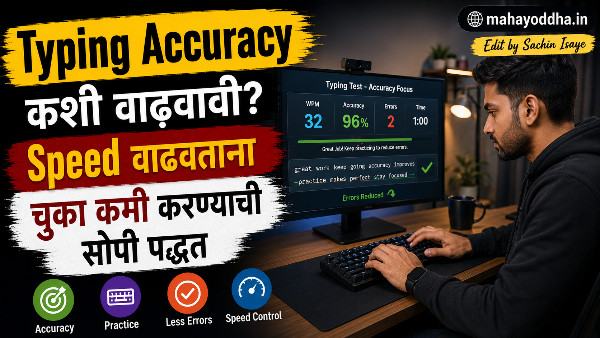
Typing Speed वाढवण्याच्या नादात Accuracy कधी गेली कळलंच नाही — आणि मग नव्याने सुरुवात करावी लागली
Touch Typing शिकल्यानंतर एक चुकीचं obsession सुरू झालं. Typing Accuracy कशी वाढवावी.
WPM वाढवणं. रोज Monkeytype उघडायचं, speed बघायचं, जास्त WPM मिळवायचं. दोन महिन्यांत ५५ WPM झाली. Exciting वाटलं.
पण एक दिवस Mahayoddha.in साठी article लिहिताना noticed झालं — Backspace खूप वापरतो. प्रत्येक paragraph मध्ये multiple corrections. Article लिहिणं slow होतं — typing speed ५५ WPM असली तरी effective output कमी होतं.
Monkeytype वर accuracy बघितली — ८९%. म्हणजे प्रत्येक दहाव्या-अकराव्या keystroke ला एक error.
तेव्हा कळलं — speed वाढवताना accuracy sacrifice केली होती. आणि accuracy शिवाय speed useless आहे real-world writing मध्ये.
Deliberately slow केलं, accuracy वर focus केलं. एक महिन्यात accuracy ९७%+ झाली. आणि नंतर speed आपोआप वाढली — खरोखर.
Accuracy आणि Speed — Relationship नीट समजून घेऊया
Common misconception — “जास्त practice केलं की speed वाढेल आणि accuracy पण येईल.”
Reality different आहे. Practice wrong habits reinforce करतो. Inaccurate typing repeatedly केलं तर inaccurate muscle memory build होतो — fix करणं harder होतं.
Net WPM concept:
Typing tests मध्ये Gross WPM आणि Net WPM वेगळ्या असतात.
Gross WPM — प्रत्येक keystroke count करतो, errors सकट.
Net WPM = Gross WPM — (Errors × penalty).
म्हणजे ७० WPM gross, ८५% accuracy असेल तर — roughly ५५-६० WPM net. ६० WPM gross, ९८% accuracy असेल तर — roughly ५८ WPM net. पण second person errors कमी करतो — real-world writing मध्ये जास्त productive.
Real-world writing मध्ये accuracy जास्त matters:
Typing test मध्ये errors auto-marked होतात. Article लिहिताना — proofreading, backspace, correction — extra time जातो. High accuracy टाइपिस्ट खरोखर faster content produce करतो lower accuracy fast typist पेक्षा.
Error Patterns — तुमच्या Mistakes Random नाहीत
हे माहीत असलं तर fix करणं targeted होतं.
Transposition Errors
“the” → “teh” येतो. “from” → “form” येतो.
हे होतं कारण — fingers correct keys वर जातात पण wrong order मध्ये fire होतात. Second finger slightly पहिल्या आधी press होतो.
Common transpositions — th→ht, er→re, in→ni, on→no. तुमचे specific transpositions Monkeytype च्या missed keys मध्ये दिसतात.
Fix — त्या specific combinations slow करा. “th” type करताना — T, pause, H. Deliberately sequential करा. Week नंतर sequence automatic होतो.
Shift Key Errors
“THis” — दोन capitals. किंवा “tHis” — wrong capital.
Shift release timing चुकतो. Shift press करायचं, letter press करायचं, Shift release करायचं — simultaneously नाही, sequentially.
Fix — Shift key दाबणं आणि letter दाबणं separate actions म्हणून practice करा. Slowly. Capital letters slow down होतील initially — accept करा.
Weak Finger Errors
Pinky fingers — Q, A, Z (left), P, semicolon, slash (right) — consistently miss होतात. Ring fingers — S, W, X, L, O — पण weak असतात बऱ्याच लोकांमध्ये.
Pinky fingers physically weaker असतात. Training लागते.
Fix — Keybr वापरा specifically weak fingers साठी. Custom word lists बनवा — Z, X, Q, P heavy words practice करा.
Same-Finger Bigrams
“ce”, “rv”, “ed” — same finger ने दोन consecutive keys. Natural rhythm breaks होतो.
“E” आणि “D” — both middle finger left hand. “C” आणि “E” — middle finger. Rapid typing मध्ये same finger quickly two keys press करताना error rate वाढतो.
Fix — Slow down specifically these combinations. Isolated practice करा.
Whole Word Deletion Rule — हे Implementation करायला काही दिवस लागतात
Chukichya शब्दात एक letter चुकला — normal reaction म्हणजे Backspace एकदा, letter fix करा.
पण brain साठी हे problem आहे. Partial word type केला, middle मध्ये interrupt झाला, partially wrong pattern stored झाला.
Better approach — Ctrl + Backspace. पूर्ण चुकीचा शब्द delete करा. पुन्हा correctly type करा — beginning से.
हे brain ला complete correct pattern store करायला force करतो.
Practice sessions मध्ये vs Real work मध्ये:
Practice sessions मध्ये — errors ignore करा, flow maintain करा. Practice purpose speed आणि accuracy build करणं आहे — editing नाही.
Real work मध्ये — Whole Word Deletion Rule apply करा. Article लिहिताना चुकीचा शब्द आला — Ctrl + Backspace, पुन्हा type करा.
दोन different contexts, दोन different approaches.
Typing Rhythm — हे सगळ्यात Underrated Concept आहे
Inconsistent speed accuracy problems cause करतो.
Easy words — “the”, “and”, “is” — fast type होतात. Hard words — “phenomenon”, “occasionally” — slow होतात. Transition मध्ये rhythm breaks होतो — errors येतात.
Ideal state — consistent tempo. Easy words slow करा, hard words speed up करा — same pace maintain करा.
Metronome practice:
Online metronome (free) — specific BPM set करा. प्रत्येक beat ला एक keystroke. Slowly pace up करा.
Alternatively — mental counting. एक-दोन-तीन rhythm मध्ये type करा.
हे initially artificial वाटतं. But consistent rhythm practice केल्यावर natural flow येतो.
Read Ahead Technique — Eyes आणि Fingers Sync
Type करताना eyes कुठे असतात?
चुकीचे options — Currently typing असलेल्या word वर. Keyboard वर. Just typed text वर.
Correct — Next word वर, sometimes two words ahead.
Eyes जे word process करतात ते fingers type करतात — आधी brain ने process केलं तरच fingers action करतात. Eyes behind असतील तर brain ला pause करावं लागतं — typing pause होतो.
Practice करायला:
Typing test देताना — consciously current word type करताना next word read करायचा. Initially difficult. Week नंतर natural होतं.
Deliberate Practice vs Regular Practice — फरक महत्त्वाचा आहे
Regular practice — Monkeytype वर daily tests. WPM बघा, close करा. हे speed plateau वर राहतं.
Deliberate practice — Specific weak area identify करा. त्यावर focused exercises करा. Uncomfortable zone मध्ये काम करा.
Deliberate practice examples:
Specific key pairs practice — “ph”, “qu”, “ck” — repetitive practice.
Slow accurate typing — Normal speed च्या ५०% speed ने, ९९%+ accuracy target.
Uncomfortable word sets — Technical terms, uncommon words — comfort zone बाहेर.
Error log maintain करा — कोणते errors आले, pattern आहे का, next session मध्ये focus काय करायचं.
Accuracy Improvement Timeline — Realistic Expectations
| Starting Accuracy | Target | Timeline | Method |
|---|---|---|---|
| ८०% खाली | ९०%+ | दोन ते तीन आठवडे | Slow deliberate practice |
| ९०-९३% | ९५%+ | एक ते दोन आठवडे | Error pattern targeting |
| ९४-९६% | ९७%+ | दोन ते तीन आठवडे | Rhythm आणि read ahead |
| ९७%+ | ९९%+ | एक ते दोन महिने | Advanced deliberate practice |
FAQ
Q. Accuracy practice करताना speed खूप कमी झाली — normal आहे का?
हो, completely normal आणि expected आहे. Accuracy focus केल्यावर initially ten ते वीस percent speed drop होतो. हे sign आहे की तुम्ही correctly working करत आहात — wrong habits break होत आहेत. एक ते दोन आठवड्यात speed recover होते, नंतर previous peak ओलांडते.
Q. Accuracy ९५% आहे — ९८%+ साठी काय करायचं?
९५% ते ९८%+ transition hardest आहे. Specific error patterns identify करा — Monkeytype missed keys section. त्या specific letters किंवा combinations साठी custom practice करा. Slow down करा — ७०% speed वर ९९% accuracy target करा. Gradually speed वाढवा accuracy maintain करत.
Q. Same error repeatedly येतो — का होतो आणि fix कसं करायचं?
Wrong muscle memory built झाली आहे. Fix करायला — isolation practice — फक्त तो error वाळा word किंवा combination. Very slowly, correctly. Fifty ते hundred correct repetitions. Brain re-patterns होतो. Impatience नाही ठेवायची — muscle memory change होण्यास वेळ लागतो.
Q. Typing test मध्ये accuracy ९७% आहे पण real writing मध्ये जास्त errors येतात — का?
Typing test — predetermined text copy करणं. Real writing — simultaneous thinking + typing. Cognitive load जास्त असतो real writing मध्ये. Errors वाढतात. Solution — real writing practice करा — journaling, freewriting — deliberately. Thinking-while-typing skill separate आहे.
Q. Autocorrect वापरणं accuracy improvement साठी helpful आहे का?
Counterproductive आहे skill building साठी. Autocorrect errors catch करतो पण muscle memory wrong राहते. Practice sessions मध्ये autocorrect off ठेवा. Real work मध्ये autocorrect acceptable आहे — पण skill develop करण्यासाठी त्यावर rely करू नका.
Conclusion
Speed obsession ने accuracy sacrifice केली होती. Deliberately slow केल्यावर, accuracy focus केल्यावर — एक महिन्यात ९७%+ accuracy, आणि त्यानंतर speed organically वाढली.
Mahayoddha.in साठी articles लिहिताना आता Backspace खूप कमी वापरतो. Same time मध्ये जास्त content produce होतो — कारण corrections कमी झाल्या.
Typing accuracy हे boring concept वाटतं — speed sexy वाटतो. पण real-world productivity मध्ये accuracy matters जास्त.
आजच Monkeytype वर test द्या — accuracy percentage specifically बघा. ९५% पेक्षा कमी असेल तर accuracy improvement priority असावी speed improvement पेक्षा.
तुमची current accuracy किती आहे? कोणत्या letters मध्ये सगळ्यात जास्त errors येतात? Comment मध्ये सांगा.

Sachin Isaye
सचिन इसाये
नमस्कार! मी सचिन इसाये, Founder of Mahayoddha.in. २०१७ पासूनच्या माझ्या Blogging आणि Digital Content क्षेत्रातील अनुभवाचा वापर करून, मी Keyboard, Typing Speed, Windows Shortcuts आणि Digital Skills यांसारख्या विषयांवर सोप्या मराठीत practical माहिती देण्याचा प्रयत्न करतो.
Keyboard Buying Guide, Mechanical Keyboard, Wireless Keyboard, Keyboard Problems, Keyboard Typing Skills आणि Keyboard Ergonomics यांसारखे विषय सामान्य मराठी वाचकांना सहज समजावून सांगणे, हेच माझे काम आहे.
विद्यार्थी, Bloggers, Content Writers, Office Users, Work From Home करणारे आणि नवीन computer users यांना keyboard वापरून आपलं काम जलद, सोपं आणि smart करता यावं, हेच माझं ध्येय आहे. नवीन Keyboard Guides, Typing Tips आणि Windows Shortcuts साठी Mahayoddha.in ला नियमित भेट द्या.