
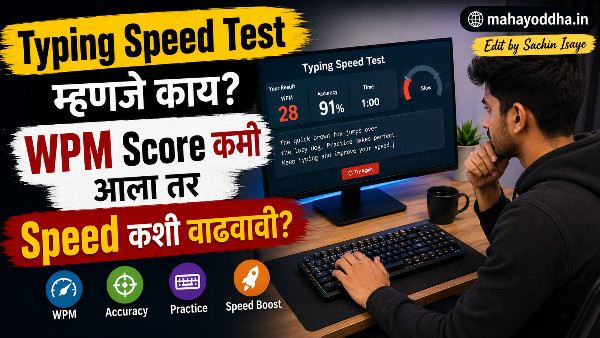
Typing Speed Test दिला — Score बघून धक्का बसला, पण त्यानंतर जे केलं ते सांगतो
सहा महिन्यांपूर्वी पहिल्यांदा seriously typing test दिला.
Mahayoddha.in साठी articles लिहितो — रोज हजार ते दोन हजार words. “माझी typing बरी आहे” असं वाटत होतं. Test दिल्यावर score आला — ३४ WPM, accuracy ८८%.
दोन्ही figures disappointing होते. ३४ WPM म्हणजे एक हजार word article लिहायला जवळजवळ तीस मिनिटे फक्त typing साठी. आणि ८८% accuracy म्हणजे प्रत्येक बाराव्या keystroke ला एक error.
त्या test ने baseline दिलं. आणि baseline माहीत असल्याशिवाय improvement measure होत नाही.
आज Mahayoddha.in वर typing test tools explain करतो — कोणता कशासाठी, कसा वापरायचा, आणि score वरून नक्की काय शिकायचं.
Typing Test का द्यायचा — “मला माहीत आहे मी कसं type करतो” हे Sufficient नाही
Feeling आणि data वेगळं असतं.
“माझी typing fast आहे” — हे subjective आहे. ५५ WPM fast आहे की slow? Depends on context. Content writer साठी ७०+ WPM professional standard आहे. Data entry साठी ८०+. Casual use साठी ५० adequate आहे.
Test शिवाय माहीत नाही — कुठल्या specific keys मध्ये चुका जास्त होतात. Accuracy खरंच किती आहे. Speed plateau आहे का. Weak areas कोणते.
Mahayoddha.in च्या Touch Typing article मध्ये सांगितलं होतं — माझी baseline ३४ WPM होती. सहा महिन्यांनंतर ७०+ WPM आहे. हे progress measure करता आलं कारण baseline माहीत होता.
Tool एक — Monkeytype
Daily Practice आणि Detailed Analytics साठी
monkeytype.com — सध्या typing community मधलं सगळ्यात popular tool.
Interface — Clean, minimal. Ads नाहीत. Dark mode default आहे. Distraction-free.
Test Modes:
Time mode — fifteen seconds, thirty seconds, sixty seconds, one twenty seconds. Daily use साठी sixty seconds standard आहे.
Word mode — specific word count — दहा, पंचवीस, पचास, एकशे. Long typing session simulate करायला.
Quote mode — famous quotes type करायच्या. Real-world content — repetitive words नाहीत.
Custom mode — specific words, sentences, characters practice करता येतात. Weak areas isolate करायला.
Stats जे मिळतात:
WPM — real-time आणि final. Accuracy percentage. Raw WPM — errors count करण्याआधी. Consistency percentage — typing rhythm किती consistent आहे. Heatmap — कोणते keys slow होते, कुठे errors झाले.
Account साठी — Optional. Account असेल तर history track होतो. Progress graphs दिसतात. Typing test account नसेल तरी देता येतो.
माझा daily routine — Monkeytype वर sixty second test, तीन rounds. Results note करतो. Consistency percentage बघतो — ९०% पेक्षा कमी असेल तर rhythm work करायचं आहे.
Tool दोन — Keybr
Weak Keys Identify आणि Target करायला
keybr.com — हे practice tool आहे, test tool नाही. पण speed improvement साठी सगळ्यात effective आहे.
कसं काम करतं:
Algorithm track करतो — कोणती keys fast येतात, कोणत्यात errors येतात, response time किती. Weak keys वर जास्त words generate करतो. Strong keys कमी येतात.
Key unlock system — सुरुवातीला limited keys. Performance improve झाल्यावर नवीन keys unlock होतात. Gradual progression.
Visual Keyboard — Screen वर keyboard दिसतो. Current key highlight होते. Color coding — green म्हणजे comfortable, yellow म्हणजे practice needed, red म्हणजे weak.
माझ्यासाठी — B, Y, आणि P ही three letters consistently red होती. Keybr ने specifically त्यांच्यावर focus दिला. दोन आठवड्यांत significantly improve झाले.
Account — Progress save करायला account useful आहे. Keyboard heatmap historical data दाखवतो.
Tool तीन — 10FastFingers
Standard Benchmark साठी
10fastfingers.com — Typing community मध्ये classic benchmark tool आहे.
One Minute Test — Standard format. Most common two hundred words मधून random selection. One minute timer. Final score WPM आणि accuracy.
हे का useful आहे? Universal benchmark आहे — बऱ्याच लोकांनी हा test दिलेला आहे. Comparison करता येतो. “माझा 10FF score ५५ WPM आहे” — हे universally understandable आहे.
Competition Mode — Real-time race against other users. Ten person races. Leaderboard. Pressure typing practice करायला useful — speed competition मध्ये consistency maintain करणं वेगळी skill आहे.
Languages — Multiple languages support करतो. Marathi available आहे का check करा — Indian languages limited support असतो.
Monthly Competition — Monthly typing championship होतो. Leaderboard, prizes. Motivation साठी.
Tool चार — TypeRacer
Competition आणि Pressure Handling साठी
typeracer.com — Car racing theme. Type करताना car पुढे जाते. Opponents च्या cars visible असतात.
Why Unique:
Real quotes आणि passages type करायचे — random words नाही. Books, movies, songs — actual content. More engaging.
Multiplayer races — global pool मधून opponents. Real-time competition.
Private races — friends ला invite करता येतं. Direct competition.
Pressure Training:
TypeRacer मध्ये दुसरे visible असतात — psychological pressure येतो. हे real-world fast typing situations simulate करतो — presentations, coding interviews, competitive environments.
माझा observation — TypeRacer वर speed Monkeytype पेक्षा काही WPM कमी येतो — content different आहे, longer passages, psychological pressure. पण practice केल्यावर gap कमी होतो.
Tool पाच — TypingClub
Beginners आणि Structured Learning साठी
typingclub.com — School curriculum standard आहे. Many schools यावर teach करतात.
Structured Lessons:
Lesson by lesson progression. Home row पासून सुरुवात. Gradually नवीन keys add होतात. Finger placement exercises. Speed challenges.
Gamification:
Stars — three stars per lesson. Progress badges. Achievement unlocks. Video lessons काही chapters मध्ये.
Free vs Paid:
Basic content completely free. School edition free — teachers/students साठी. Advanced features paid.
Beginner साठी specifically useful — Touch typing कधीच शिकला नसाल, structured approach हवा असेल, तर TypingClub best starting point आहे.
कोणता Tool कधी वापरायचा
| Situation | Best Tool | Why |
|---|---|---|
| Daily speed practice | Monkeytype | Clean, detailed stats, multiple modes |
| Weak keys identify करणे | Keybr | AI-based targeting |
| Standard benchmark | 10FastFingers | Universal reference point |
| Competition practice | TypeRacer | Multiplayer, pressure training |
| Touch typing शिकणे | TypingClub | Structured lessons |
| Progress track करणे | Monkeytype + account | Historical graphs |
| Boredom आलं | TypeRacer | Engaging, fun |
Score वरून काय शिकायचं — Numbers पेक्षा Patterns Important आहेत
WPM score एकट्याने sufficient नाही. Context important आहे.
WPM आणि Accuracy एकत्र बघा:
८० WPM, ९०% accuracy — Net WPM साधारण ७२. Errors correct करण्यात वेळ जातो.
६० WPM, ९८% accuracy — Net WPM ५८ पण errors कमी. Professional work साठी better.
Accuracy ९५% पेक्षा खाली असेल तर speed वाढवण्याचा प्रयत्न करू नका — accuracy fix करा आधी.
Consistency percentage:
Monkeytype consistency दाखवतो. ९०%+ consistency म्हणजे rhythm stable आहे. Lower consistency म्हणजे bursts येतात — काही moments fast, काही slow. Consistent पाच WPM slow typewriter steady पन्नास WPM burst typist पेक्षा productive असतो.
Specific Key Errors:
Keybr आणि Monkeytype दोन्ही show करतात. Pattern बघा — consistently same keys miss होतात का. Finger assignment चुकीचं असेल — उदाहरण B right index ने type करणं wrong, left index ने करायला हवं. Wrong finger use consistently होत असेल तर relearn करा.
Score Improvement Formula — Practical
Week एक — Baseline test द्या. 10FastFingers, Monkeytype, Keybr — तिन्हींवर. Note करा. Keybr वर weak keys identify करा.
Week दोन ते तीन — Keybr वर weak keys focus. Monkeytype वर daily sixty second tests — accuracy priority, speed नाही.
Week चार — TypeRacer वर competition practice सुरू करा. Pressure handling.
Monthly — 10FastFingers वर benchmark test. Progress compare करा.
FAQ
Q. Monkeytype आणि 10FastFingers मध्ये score different येतो — का?
Different word lists, different interfaces, different modes. 10FastFingers common words वापरतो. Monkeytype various modes आहेत — mode नुसार score vary होतो. TypeRacer quotes वापरतो — score कमी असतो. Different tools compare करू नका — same tool वर progress track करा.
Q. Mobile वर typing test देता येतो का?
येतो — पण physical keyboard नसेल तर screen keyboard speed वेगळी असते. Physical keyboard skills आणि screen keyboard skills different आहेत. Physical keyboard improvement साठी physical keyboard वरच test द्या. Screen typing improve करायचं असेल तर Gboard किंवा SwiftKey settings optimize करा.
Q. Typing test देताना nervous होतो, score कमी येतो — काय करायचं?
Practice mode first — TypeRacer मध्ये solo practice mode आहे, competition नाही. Monkeytype मध्ये timed pressure नसलेला word mode. Gradually timed tests introduce करा. Pressure handling separate skill आहे — वेळ लागतो develop व्हायला.
Q. ७ दिवसांत किती WPM वाढेल?
Depends on current level आणि practice quality. ३०-४० WPM वर असाल तर — एका आठवड्यात पाच ते दहा WPM realistic आहे. ७०+ WPM वर असाल तर — एका WPM improvement पण significant आहे. Consistent practice important आहे — results overnight नाहीत.
Q. Typing test साठी specific keyboard better आहे का?
Mechanical keyboard touch typing साठी better feel देतो — tactile feedback आहे. Mahayoddha.in वर mechanical keyboards बद्दल multiple articles आहेत. पण tool आणि practice जास्त important आहे keyboard type पेक्षा. Laptop keyboard वर पण ७०+ WPM achievable आहे.
Conclusion
त्या दिवशी ३४ WPM baseline score बघितला — embarrassing वाटलं. पण त्या score ने direction दिला.
Monkeytype daily practice, Keybr वर weak keys target, TypeRacer occasionally — हे combination सहा महिन्यांत ७०+ WPM पर्यंत घेऊन गेलं.
Mahayoddha.in साठी articles लवकर लिहितो आता — same content, कमी वेळ. Typing speed improvement directly productivity improvement आहे.
आजच एक test द्या — 10FastFingers वर. Score note करा. तो तुमचा starting point आहे. एक महिन्यानंतर पुन्हा test द्या — progress clearly दिसेल.
तुमचा current typing speed किती आहे? कोणतं tool आधी वापरलं आहे? Comment मध्ये सांगा.

Sachin Isaye
सचिन इसाये
नमस्कार! मी सचिन इसाये, Founder of Mahayoddha.in. २०१७ पासूनच्या माझ्या Blogging आणि Digital Content क्षेत्रातील अनुभवाचा वापर करून, मी Keyboard, Typing Speed, Windows Shortcuts आणि Digital Skills यांसारख्या विषयांवर सोप्या मराठीत practical माहिती देण्याचा प्रयत्न करतो.
Keyboard Buying Guide, Mechanical Keyboard, Wireless Keyboard, Keyboard Problems, Keyboard Typing Skills आणि Keyboard Ergonomics यांसारखे विषय सामान्य मराठी वाचकांना सहज समजावून सांगणे, हेच माझे काम आहे.
विद्यार्थी, Bloggers, Content Writers, Office Users, Work From Home करणारे आणि नवीन computer users यांना keyboard वापरून आपलं काम जलद, सोपं आणि smart करता यावं, हेच माझं ध्येय आहे. नवीन Keyboard Guides, Typing Tips आणि Windows Shortcuts साठी Mahayoddha.in ला नियमित भेट द्या.