
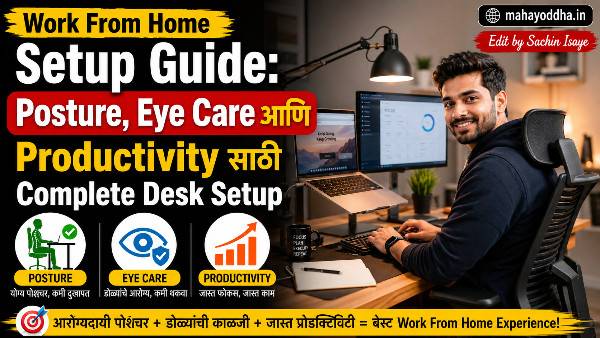
Work From Home Setup Guide — Posture, Eye Care, Productivity — सगळं एकत्र
तीन वर्षांपूर्वी WFH सुरू झालं तेव्हा setup होता — bed वर बसून laptop, उशी मांडीवर, screen खाली बघत.
तीन महिन्यांनंतर neck pain, eye strain, back pain. आणि productivity पण कमी झाली होती — कारण workspace आणि rest space एकच होती.
Gradually setup improve केला. आज Mahayoddha.in वर complete WFH guide लिहितो — keyboard वापरणाऱ्यांसाठी, students साठी, bloggers साठी.
Workspace Setup — Foundation
Dedicated Work Area
सगळ्यात important — work साठी specific area. Bed वर काम करणं avoid करा.
Brain associations बनवतो — bed म्हणजे rest, desk म्हणजे work. Dedicated work area असेल तर focus येतो, rest area असेल तर relax होतं. हे mix केलं तर दोन्ही suffer होतात.
Small apartment असेल तर — specific corner, specific chair — consistent रहा. Same spot रोज वापरा.
Desk Height
Ideal desk height — arms relaxed असताना elbow desk level ला असावं. Standard desk ७०-७५ cm असतो — बहुतेक लोकांसाठी ठीक आहे.
Adjustable desk असेल तर आणखी चांगलं. नसेल तर chair height adjust करा.
Chair
Lumbar support असलेली chair best. नसेल तर towel roll करून lower back ला ठेवा — DIY lumbar support.
Feet flat floor वर. खूप उंच chair असेल तर footrest वापरा. Cross-legged बसणं avoid करा — blood circulation affect होतो.
Screen Setup — Eye Health
Monitor Height
Screen चा top edge डोळ्यांच्या level ला असावं. खाली बघत बसणं — neck flexion — cervical strain करतो.
Laptop वापरत असाल तर — laptop ला eye level ला आणण्यासाठी laptop stand वापरा. Stand वर laptop असेल तर keyboard खाली आहे — external keyboard necessary. Mahayoddha.in च्या laptop vs external keyboard article मध्ये हे discuss केलं आहे.
Books stack करून पण laptop raise करता येतो — free solution.
Screen Distance
५०-७० cm distance — roughly arm’s length. खूप जवळ — eye strain. खूप दूर — forward lean होतो.
Screen Angle
Slight tilt — top थोडं मागे. Glare avoid होतो. Natural viewing angle comfortable असतो.
Ambient Lighting
Screen brightness ambient light नुसार adjust करा. Dark room मध्ये bright screen — eye strain. खूप dim screen पण strain.
Window side ला monitor ठेवू नका — glare येतो. Window facing किंवा perpendicular असावं.
20-20-20 Rule — Eye Care
दर वीस मिनिटांनी वीस feet दूर बघा, वीस seconds. Near focus थकवतो eye muscles ला — far focus rest देतो.
Phone reminder set करा — Mahayoddha.in च्या multitasking article मध्ये Focus Sessions बद्दल आहे — तिथे break reminders setup करता येतात.
Additional eye care:
Blink consciously — screen बघताना blinking कमी होतं — dry eyes. Artificial tears eye drops — pharmacy मध्ये मिळतात, preservative free घ्या.
Blue light filter — Settings → Display → Night Light. Eye strain कमी होतो रात्री.
Keyboard आणि Mouse Position
Keyboard
Elbow level ला किंवा slightly खाली. Negative tilt — keyboard पुढून थोडा उंच, मागून flat. Wrist extension reduce होतो.
External keyboard laptop पेक्षा better ergonomics देतो — position adjust करता येतो. Mahayoddha.in वर mechanical keyboards, budget keyboards सगळे articles आहेत.
Mouse
Keyboard level ला. Elbow close to body. Shoulder raise नाही. Vertical mouse consider करा wrist pain असेल तर. Mahayoddha.in च्या ergonomic keyboard article मध्ये vertical mouse बद्दल mention आहे.
Posture — Key Points
Spine
Back सरळ — chair back ला टेकून. Lower back supported. Hunchback avoid — monitor खाली असेल तर forward lean होतो, म्हणून screen raise करणं important.
Neck
Neutral position — head directly over shoulders. Screen eye level ला असेल तर neck naturally straight राहतो.
Shoulders
Relaxed, not raised. Keyboard खूप high असेल तर shoulders raise होतात — desk height किंवा chair height adjust करा.
Posture Reset Technique
दर तासाला एकदा — deep breath घ्या, tall बसा, shoulders back, then relax. हे conscious reset करतो posture.
Break Schedule
Pomodoro technique — twenty five minutes work, five minutes break. किंवा forty five minutes work, ten minutes break.
Break मध्ये screen completely बंद. हात stretch करा. Stand up, walk करा. Window बाहेर बघा — long distance focus eye rest करतो.
Mahayoddha.in च्या wrist pain article मध्ये stretches detail मध्ये आहेत.
Noise आणि Distraction Management
Audio
Background music productivity वर mixed effect आहे — lyric-free music (lo-fi, classical, ambient) better for focused work than music with lyrics.
Noise cancelling headphones — open plan घर असेल, family members around असतील — useful investment.
Phone
Notification silence करा work sessions मध्ये. Phone दुसऱ्या room मध्ये ठेवा जमलं तर. Mahayoddha.in च्या Focus Assist article मध्ये Windows notification management आहे.
Browser Distractions
Website blockers — Freedom, Cold Turkey, Chrome extension — specific sites block करतात work hours मध्ये.
Tab management — Tab Groups, Reading List — Mahayoddha.in च्या Chrome article मध्ये आहे.
Lighting Setup
Natural light best आहे — desk window जवळ ठेवा पण screen वर direct sunlight नाही.
Artificial light — warm white bulbs (3000K) eye friendly आहेत. Cool white (6500K) alertness साठी good पण रात्री avoid करा.
Task lighting — desk lamp — document reading साठी useful. Screen वर नाही, paper/book वर focus करा.
WFH Setup Quick Checklist
| Element | Ideal | Budget Solution |
|---|---|---|
| Screen height | Eye level | Books stack under laptop |
| Chair | Lumbar support | Towel roll behind lower back |
| Keyboard | External, adjustable position | Any external keyboard |
| Mouse | Vertical/ergonomic | Regular mouse + shortcuts |
| Lighting | No glare, indirect | Desk lamp, blinds |
| Monitor distance | ५०-७० cm | Arm’s length check |
| Break reminder | App/timer | Phone alarm |
| Footrest | Dedicated footrest | Book stack |
FAQ
Q. Bed वर laptop वापरणं completely avoid करायला हवं का?
Ideal setup साठी yes — posture, productivity दोन्हींसाठी. पण practical reality different असते. Bed वर occasionally वापरत असाल तर — laptop stand जो bed वर वापरता येतो ते घ्या, back support ठेवा, external keyboard consider करा. Daily primary work साठी dedicated desk setup better आहे.
Q. Standing desk worth आहे का?
Prolonged sitting हानिकारक आहे — standing desk हे address करतो. Sit-stand desks best आहेत — alternating between sitting and standing. Pure standing पण fatiguing आहे. ₹५,०००-₩१५,०++ range मध्ये adjustable desks available आहेत. Budget नसेल तर periodic standing — phone calls दरम्यान उभं राहणं — small step आहे.
Q. Multiple monitors setup WFH साठी useful आहे का?
हो, productivity significantly improve होतो — reference एका screen वर, work दुसऱ्यावर. Alt+Tab switching कमी होतं. Main monitor directly samor, secondary slightly turned. दोन्ही same height आणि distance ला. Mahayoddha.in च्या multitasking article मध्ये multiple monitor shortcuts आहेत.
Q. Work clothes घालणं WFH productivity साठी important आहे का?
Psychological impact आहे — pajamas मध्ये काम करणं vs proper clothes. Cognitive behavior research suggest करतो की clothes mental state affect करतो. Strict rule नाही पण comfortable-yet-not-sleepwear wear करणं helpful आहे. Personal experiment करा.
Q. WFH मध्ये work-life balance कसा maintain करायचा?
Fixed start आणि end time. Work end झाल्यावर laptop बंद करा — literally close करा. Work notifications phone वर off करा evenings मध्ये. Dedicated workspace असेल तर — work area सोडलं की mentally off होतं. Transition rituals — walk, tea — work to personal time signal देतात brain ला.
Conclusion
Bed वर laptop, neck खाली, back hunched — हे setup तीन महिने टिकलं. Pain सुरू झाल्यावर changes केले.
Laptop stand — ₹८०० — सगळ्यात impactful change होता. Screen eye level ला आलं, neck straight झाला. External keyboard add केला. Chair ला towel roll लावला.
हे expensive नव्हतं — ₹१,५०० ते ₹२,००० total investment. Benefit long term आहे.
Mahayoddha.in वर keyboard, shortcuts, hardware — सगळ्याबरोबर setup आणि health equally important आहे. Right setup असेल तर जास्त तास comfortable काम होतं.
तुमचा current WFH setup कसा आहे? Laptop stand वापरतात का? Comment मध्ये सांगा — सगळ्यात valuable change कोणतं केलं ते.

Sachin Isaye
सचिन इसाये
नमस्कार! मी सचिन इसाये, Founder of Mahayoddha.in. २०१७ पासूनच्या माझ्या Blogging आणि Digital Content क्षेत्रातील अनुभवाचा वापर करून, मी Keyboard, Typing Speed, Windows Shortcuts आणि Digital Skills यांसारख्या विषयांवर सोप्या मराठीत practical माहिती देण्याचा प्रयत्न करतो.
Keyboard Buying Guide, Mechanical Keyboard, Wireless Keyboard, Keyboard Problems, Keyboard Typing Skills आणि Keyboard Ergonomics यांसारखे विषय सामान्य मराठी वाचकांना सहज समजावून सांगणे, हेच माझे काम आहे.
विद्यार्थी, Bloggers, Content Writers, Office Users, Work From Home करणारे आणि नवीन computer users यांना keyboard वापरून आपलं काम जलद, सोपं आणि smart करता यावं, हेच माझं ध्येय आहे. नवीन Keyboard Guides, Typing Tips आणि Windows Shortcuts साठी Mahayoddha.in ला नियमित भेट द्या.